Licence Verification · Polygon · Updated November 21, 2026

Verify a Licence or Site Screening Report

Every AI Build Configurator licence can now be recorded as a licence pass on the Polygon blockchain. Use this page to check whether a website's licence is genuine, current and at the tier it claims, or whether a Site Screening Report PDF is authentic and unaltered. The lookup reads the public contract directly, so you do not have to take anyone's word for it, including ours.


Verify an AI Build Configurator licence on the Polygon blockchain

Licence pass contract

0x93ef…B145 · Polygon

Source code verified on Polygonscan and Sourcify.

$SCRPolygon $— Connecting to Polygon…

Verify a Licence

Look up a website or pass number against the licence pass contract, or check a report PDF against the report registry. Results come straight from the Polygon blockchain.

Look up a licence by domain

Enter the website where the configurator is embedded, for example example.com. A pass on a domain also covers its subdomains.

Testnet examples: · ·

Look up a pass by number

Verify a Site Screening Report (PDF)

Choose the report PDF exactly as you received it. It is fingerprinted (SHA-256) in your browser and checked against the report registry on Polygon. The file is never uploaded.

Drop a report PDF here, or click to choose a file
Have the fingerprint instead?
Testnet example: download the sample report, switch the network to Amoy testnet, then drop it above.
Contract 0x93ef…B145 (verified source)Passes issued: …Reports on record: …Network: Polygon

How the Blockchain Lookup Works

Each licence pass is a record in a public smart contract on Polygon, a non-transferable token tied to one licensed domain. It stores four facts: the tier (Standard, Pro or Enterprise), a hash of the domain, the expiry date and whether the pass has been revoked.

When you press Verify, your browser turns the domain into a keccak-256 hash, the same way the configurator widget does, and asks a public Polygon node to run the contract's check() function. The answer comes back from the blockchain itself. There is no Strategic Crypto Reserve server in the middle, and nothing is stored.

Contract
0x93ef5A4b199bdBa8bf552aB30B17F5767c05B145
Networks
Polygon PoS mainnet (live) and Polygon Amoy testnet (demonstration)
Standard
ERC-721 with an ERC-5192 lock: passes cannot be sold or transferred
Source
Open source (Apache 2.0) and verified on Polygonscan and Sourcify
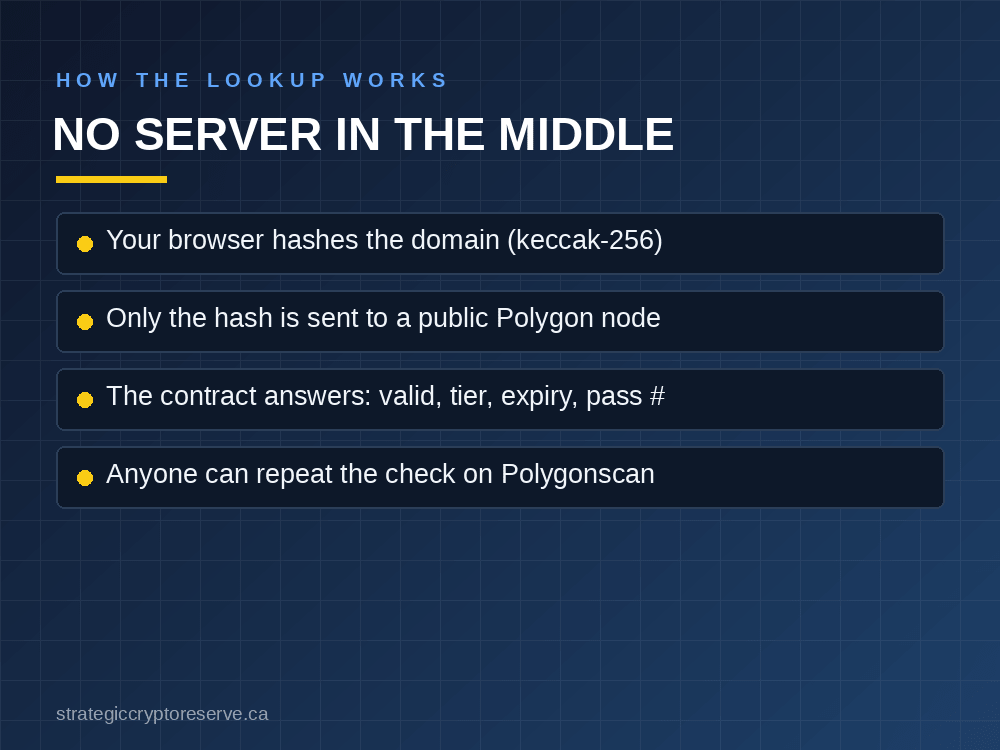
How the blockchain licence lookup works: domain hash, Polygon contract, result

What Each Result Means

Licence lookup results
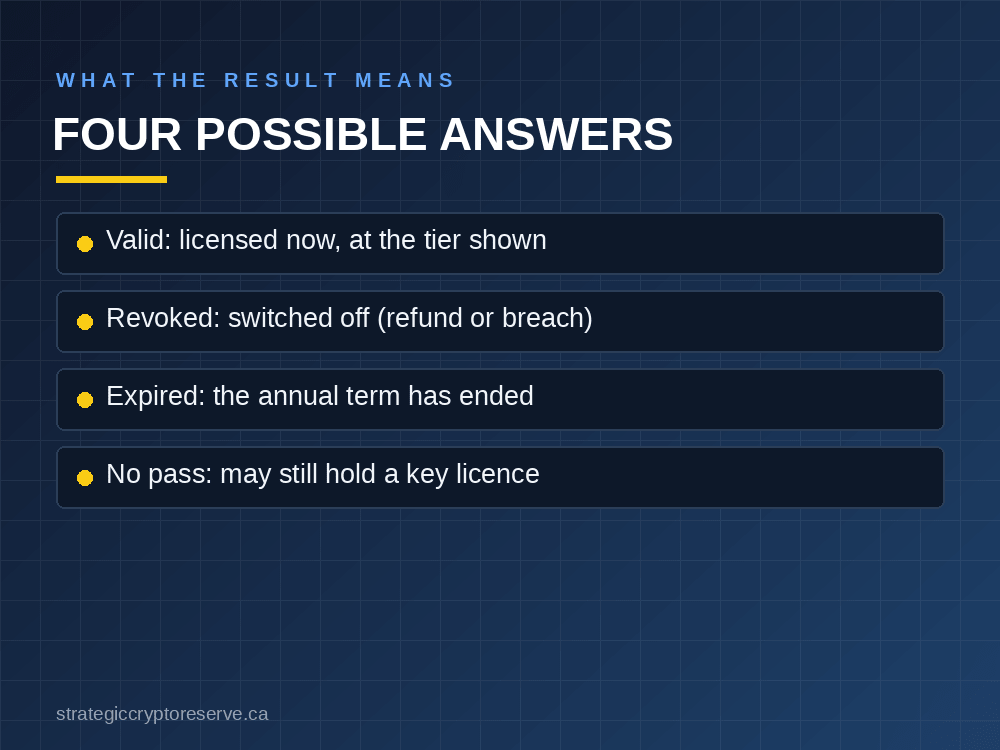
ResultWhat it means
Valid licenceThe domain holds an active pass. The widget runs at the tier shown.
Licence revokedThe pass was switched off, for example after a refund or a breach of the licence terms. The widget stops on that site.
Licence expiredThe annual term has ended. Renewing extends the same pass.
No pass foundNo on-chain pass covers the domain. Older licences use a private key instead, so check with us if in doubt.

A pass on example.com also covers www.example.com and other subdomains, so the lookup checks parent domains automatically.

What the licence verification results mean: valid, revoked, expired or no pass

For Licence Holders

You do not need a crypto wallet, ever. When you buy a licence by card, your pass is minted automatically within minutes and held by Strategic Crypto Reserve on your behalf. Your widget switches on by itself, and your clients can confirm your licence here. Paying in USDC on Polygon is an optional alternative.

Need a licence? The AI Build Configurator prices AI and HPC data center builds for every Canadian province and US state. Try the free demo, or put it on your own site: Standard licence C$4,000 a year, Pro C$10,000, site screening reports from C$950 (see licence plans). Release notes for on-chain passes are in the v1.8 changelog.

Frequently Asked Questions: Licence Verification

1. How do I verify an AI Build Configurator licence?

Type the website's domain into the lookup on this page. Your browser hashes the domain and asks the licence pass contract on Polygon whether that domain holds a pass, then shows the status, tier, expiry date and pass number.

2. Is the licence information stored in a database?

Yes, on the Polygon blockchain. Each licence pass is a record in a public smart contract, so the blockchain itself is the database. Anyone can read it, and nobody can quietly change a record without a public transaction.

3. What does "no pass found" mean?

It means the domain has no on-chain licence pass. It does not prove the site is unlicensed: licences sold before passes existed use a private licence key. If in doubt, email support@strategiccryptoreserve.ca.

4. Do licence holders need a crypto wallet?

No. A wallet is never required. Passes for card buyers are minted automatically after payment and held by Strategic Crypto Reserve on the licensee's behalf. Paying in USDC is optional.

5. Is the domain I type sent anywhere?

Only a one-way hash of it is sent, to a public Polygon network node, to read the contract. The domain text itself never leaves your browser, and the page stores nothing.

6. How do I verify a Site Screening Report?

Open the report section on this page and choose the PDF. Your browser calculates its SHA-256 fingerprint and checks it against the report registry on Polygon. A match shows the report number, issue date, model version, location and build profile.

7. Is my report PDF uploaded anywhere?

No. The file is read and fingerprinted inside your browser. Only the 64-character fingerprint is sent to a public Polygon node to look it up; the PDF itself never leaves your computer.

8. What if a report does not match?

Any change to a PDF, even one character, changes its fingerprint, so an edited or re-saved copy will not match. Ask the person who sent it for the original file, or email support@strategiccryptoreserve.ca to confirm a report.

9. Why is there a testnet option?

The contract is also deployed on the Polygon Amoy test network with demonstration passes, so you can see what a valid, revoked and expired licence look like, and try the report check with a sample report, before real records exist on mainnet.