

For People & Small Businesses · Canada and the United States

Phishing Takedown Service: Send Us the Scam Email, We Report It

Big brands pay takedown firms to get phishing sites removed. Now you can too. Most phishing emails get deleted and the scam keeps running. Send us the email instead. We trace where it really came from, report it to every company that can shut it down, follow up, and send you a case report you can keep for your records, your insurer or the police.

Strategic Crypto Reserve is not the police or the RCMP and is not affiliated with them. We do report the scams we handle to the federal Spam Reporting Centre at fightspam.gc.ca.


SCR bear taking down an email scammer: phishing takedowns only $29 a month

How It Works

1. Save the scam email as a file. The hidden headers inside it show the real sending server, which is what abuse desks need. A normal Forward strips them out.

2. Send it to us. Attach the file to a new email to takedown@cryptoinvestor.ca after you buy a case or start a monthly plan. Tell us the order email you used.

3. We investigate and report. We trace the sending servers, the domains and when they were registered, and where each link leads. Then we send evidence-backed reports to the companies that can act.

4. You get a case report. A short PDF lists what we found, who we reported it to, how they replied, and whether the scam was still online after 7 days.
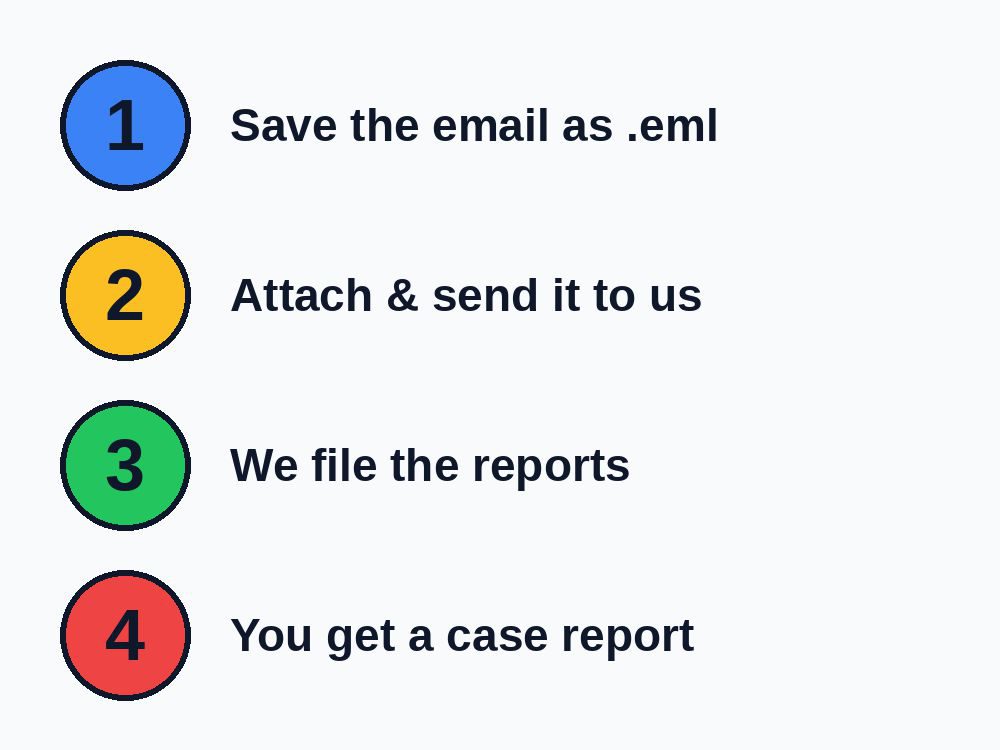
Four steps: save the email, send it to us, we file reports, you get a case report

How to Save an Email as .eml in Outlook, Gmail and Mac

Abuse desks need the original email file, with its hidden headers, not a screenshot or a plain forward. Here is how to save it as an .eml file in each mail app:

  • Gmail (web): open the email, click the three dots ⋮ at the top right, choose Download message. Attach the downloaded .eml file to a new email to us.
  • Outlook: select the email and choose More actions > Forward as attachment. In the desktop app you can also use File > Save As.
  • Apple Mail (Mac): select the email and choose Message > Forward as Attachment, or drag the email to your desktop to save it as an .eml file.
  • Phone only? Send us a screenshot plus the sender address and we will do what we can, but reports are much stronger with the original file.

Don't click any links or reply to the scammer. You don't need to.

Who We Report It To

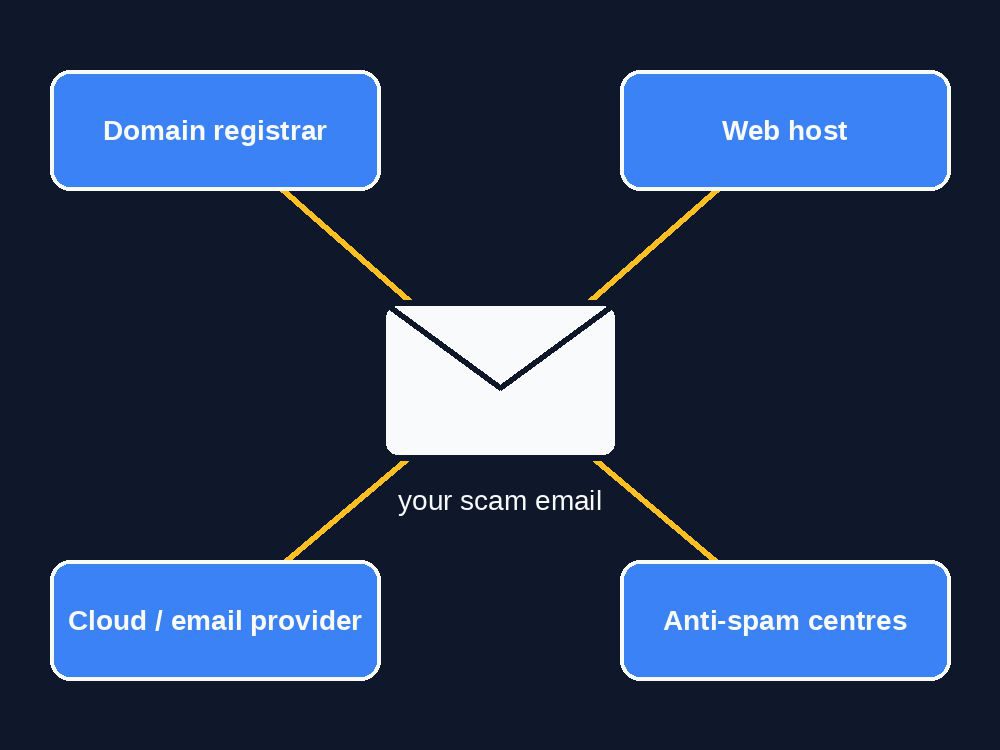
We report the scam email to the registrar, web host, cloud provider and anti-spam centres

Every case is different, but a typical phishing email touches four kinds of company, and each one has an abuse desk:

  • The domain registrar that sold the scam domain can suspend it.
  • The web host serving the fake login or payment page can take the page down.
  • The cloud or email provider whose servers sent the email can shut the account.
  • Anti-spam and anti-phishing centres, including Canada's Spam Reporting Centre and the Anti-Phishing Working Group, share the details so browsers and filters block the scam for everyone.

We know which desks act, which ones bounce attachments and which addresses no longer work, so each report is written the way that desk accepts it. We search our own records for the same sender or template, so repeat offenders get flagged as a pattern.

How to Take Down a Phishing or Scam Website

You can try this yourself. It is the same process we follow on every case:

  1. Don't click anything in the email. Copy the link address by right-clicking or long-pressing it instead.
  2. Find who hosts the site and who sold the domain. A WHOIS or ICANN Lookup search on the domain shows the registrar. The site's IP address shows the hosting company.
  3. Find the real sender. The email's full headers show which server actually sent it, which is often a cloud or email provider with its own abuse desk.
  4. Report to each abuse desk with the evidence: the link, the headers, and why it is fraudulent. Most registrars and hosts suspend phishing sites once they confirm the report.
  5. Report it to the anti-phishing lists (Google Safe Browsing, the Anti-Phishing Working Group) so browsers start warning other people.
  6. Follow up. Desks bounce reports, ask for more detail or never answer, and the site moves to a new address.

That usually takes an hour or more per email if you know what you are looking at. Or send it to us for C$49 and we do all of it, then send you the case report.

How to Report a Scam Email in Canada

In Canada, these are the places to report a scam or phishing email, and you should use them whether or not you use our service:

  • Canadian Anti-Fraud Centre: report online or call 1-888-495-8501, especially if you lost money or gave out personal information.
  • Spam Reporting Centre: forward spam and phishing to the federal Spam Reporting Centre at fightspam.gc.ca, which enforces Canada's Anti-Spam Legislation.
  • Scam texts: forward them to 7726 (SPAM) on your phone.
  • Your bank: call the number on the back of your card right away if you entered banking details or sent money.
  • The company being impersonated: most banks, Canada Post, the CRA and big retailers publish an address for forwarding phishing.

Those reports go into databases and investigations. They don't usually get the scam site removed. That's where we come in: we report to the registrar, host and email provider who can actually take it down. We serve customers across Canada and the United States.

Pricing

PlanPrice (CAD)Best for
Single case$49 one timeOne scam email you want reported and tracked
Monthly plan$29 / month, up to 5 casesSmall businesses and offices that get hit regularly

One-time case fee, or a monthly plan that renews each month until you cancel. All Terms of Service must be read and agreed. Terms of Service · Payments and refunds.

Prices exclude applicable taxes. Each case includes the investigation, all reports, one round of follow-up and the PDF case report.

What This Service Is Not

  • Not funds recovery. If you lost money, call your bank first, then your local police and the Canadian Anti-Fraud Centre (1-888-495-8501). Anyone promising to get your money back for a fee is very likely another scam.
  • Not legal advice and not a law firm. We report scams to the companies whose services they abuse.
  • No hacking back. We never attack, contact or threaten the scammer, and we never ask them for money on your behalf.
  • No guaranteed takedown. Only the registrar, host or provider can remove a site or account.

Your email is used only for your case and deleted 90 days after the case closes. See our Privacy Policy.

Frequently Asked Questions

What is a phishing takedown service?

You send us a scam or phishing email you received. We trace where it really came from and where its links lead, then report it to the companies that can shut it down: the domain registrar, the web host, the cloud or email provider and national anti-spam centres. We track the replies and send you a case report.

How do I send you the email so you can trace it?

Save the email as an .eml file and attach it to a new email to takedown@cryptoinvestor.ca. In Gmail open the message, click the three dots and choose Download message. In Outlook use Forward as Attachment or Save As. In Apple Mail use Forward as Attachment. A normal Forward removes the hidden headers we need.

Who do I report a phishing email to?

Report it to your email provider with its phishing or spam button, to the company being impersonated, and in Canada to the Canadian Anti-Fraud Centre and the Spam Reporting Centre. To get the scam itself shut down, it also has to be reported to the domain registrar, the web host and the sending email provider. That is the part our service does for you.

How do I take down a scam website?

Find the domain registrar with a WHOIS or ICANN Lookup search and the hosting company from the site's IP address, then report the site to both abuse desks with evidence and follow up. Only the registrar or host can remove it. Our service does all of this for C$49 per email.

How much does it cost?

A single case is C$49. The monthly plan is C$29 a month and covers up to 5 cases a month. Prices are in Canadian dollars and exclude applicable taxes.

Do you guarantee the scam site will be taken down?

No. Only the registrar, host or provider can take a site or account down, and each decides on its own. We file complete, evidence-backed reports with every desk that has the power to act, and follow up, which is what gets most phishing pages removed.

I lost money to a scam. Can you get it back?

No, and be careful of anyone who promises to. If you sent money or gave out banking details, call your bank first, then report it to your local police and the Canadian Anti-Fraud Centre at 1-888-495-8501. Our service reports the scammer's infrastructure. It is not a funds-recovery service.

What happens to my email after you process it?

We use it only to investigate and report your case. The reports we send include the scam's technical details and headers, not your name, unless you ask us to include it. We delete your submission 90 days after the case closes.